


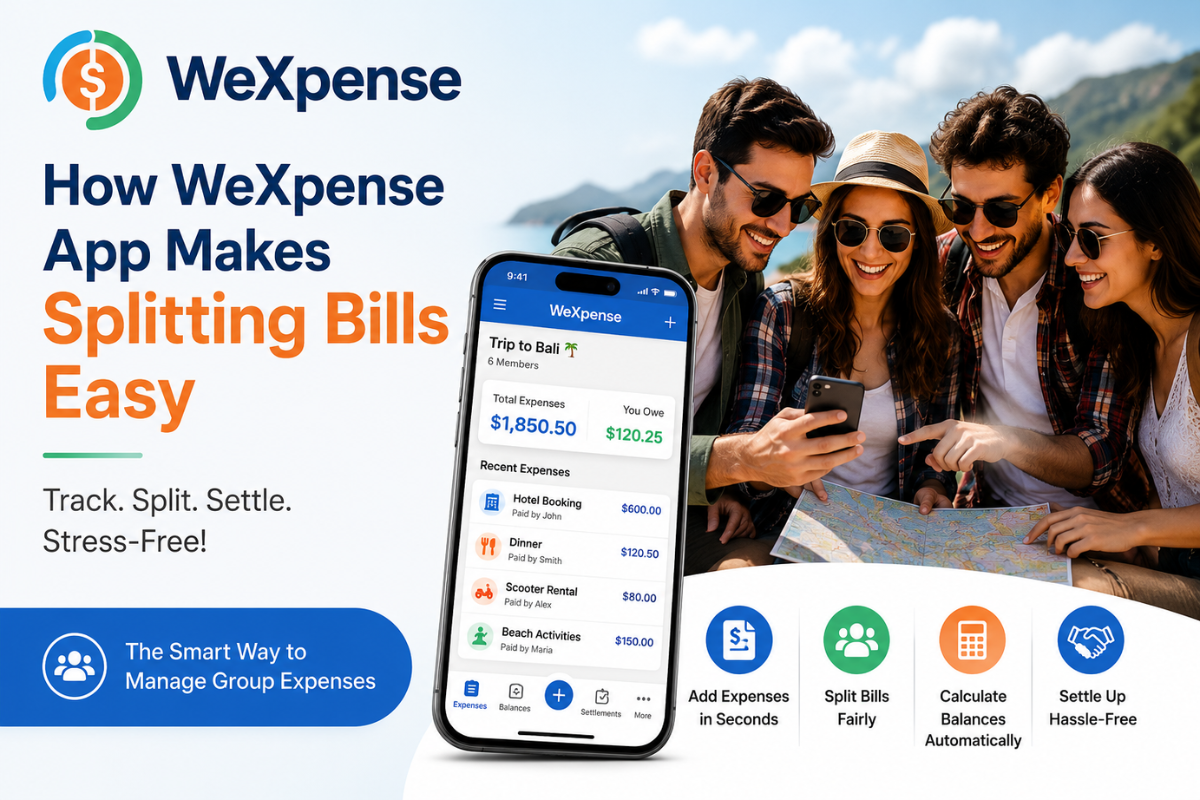
How the WeXpense App Makes Splitting Bills Easy
- Expense Count
- Travel
- 2026-07-29 13:58:52
- 2214K
Traveling with friends or family is always exciting, but managing shared expenses can quickly become one of the most stressful parts of the trip. From hotel bookings and restaurant bills to taxi fares and attraction tickets, someone is always paying on behalf of the group. Without a proper system, it's easy to lose track of expenses and create confusion about who owes whom.
That's where WeXpense comes in. Designed specifically for group expense management, WeXpense makes splitting bills simple, fair, and completely hassle-free.
The Problem with Splitting Bills Manually
Imagine you're on a five-day trip with six friends. One person books the hotel, another pays for dinner, someone else covers transportation, and another buys event tickets.
By the end of the trip, questions like these often arise:
- Who paid for the first night's dinner?
- Has everyone contributed equally?
- How much does each person owe?
- Has anyone already settled their balance?
Trying to calculate everything manually using notes or spreadsheets is time-consuming and often leads to mistakes.
Add Every Expense in Seconds
With WeXpense, recording shared expenses takes only a few seconds.
Simply enter:
- The expense amount
- Who paid
- The people sharing the expense
- An optional category like Food, Transport, Hotel, or Entertainment
Every expense is saved instantly, making it easy for everyone in the group to stay updated.
Split Bills Fairly
Not every expense should be divided equally.
For example:
- Some friends may skip a meal.
- Only a few people may join an activity.
- Couples may share accommodation differently.
WeXpense offers flexible bill-splitting options, ensuring that each person pays only for the expenses they actually share. This makes the entire process transparent and fair.
Automatic Balance Calculation
One of the biggest advantages of WeXpense is automatic balance calculation.
As expenses are added, the app instantly calculates:
- Total group spending
- Individual contributions
- Outstanding balances
- Who owes whom
There's no need to use a calculator or spend time creating complicated spreadsheets. Everything is updated in real time.
Stay Organized Throughout the Trip
Instead of scrolling through chat messages or collecting paper receipts, WeXpense stores all your expenses in one place.
You can easily review:
- Hotel expenses
- Transportation costs
- Restaurant bills
- Shopping expenses
- Activity fees
This organized record helps every traveler understand where the group's money is being spent.
Avoid Money-Related Conflicts
Money misunderstandings can ruin an otherwise enjoyable trip. WeXpense reduces disagreements by giving every group member access to the same expense records.
Everyone can see:
- Who paid
- How much was spent
- Current balances
- Final settlements
This transparency builds trust and keeps the focus on enjoying the journey instead of discussing finances.
Perfect for Any Group
Whether you're planning:
- A family vacation
- A road trip with friends
- A college tour
- A business trip
- An international holiday
- A weekend getaway
WeXpense simplifies shared expense management for groups of any size.
Why Choose WeXpense?
WeXpense is built to make group expense tracking effortless with features like:
- Create unlimited expense groups
- Track every shared payment
- Split bills fairly
- Automatic balance calculation
- Multi-currency support
- Quick and easy settlements
- Clean, user-friendly interface
Whether you're traveling across the city or around the world, WeXpense helps your group manage expenses with confidence.
Download WeXpense Today
Don't let complicated bill splitting spoil your next adventure. Download WeXpense and experience the easiest way to track, split, and settle group expenses.
🌐 Website: WeXpense
Google Play: WeXpense - Split Bills - Apps on Google Play
App Store: WeXpense - track & split App
Travel together, split bills fairly, and make every journey stress-free with WeXpense.
2214 people like this



About Premium Author
This post has been authored and published by one of our premium contributors, who are experts in their fields. They bring high-quality, well-researched content that adds significant value to our platform.
Leave a Reply
Please login to post a comment.








0 Comments